Key Benefits
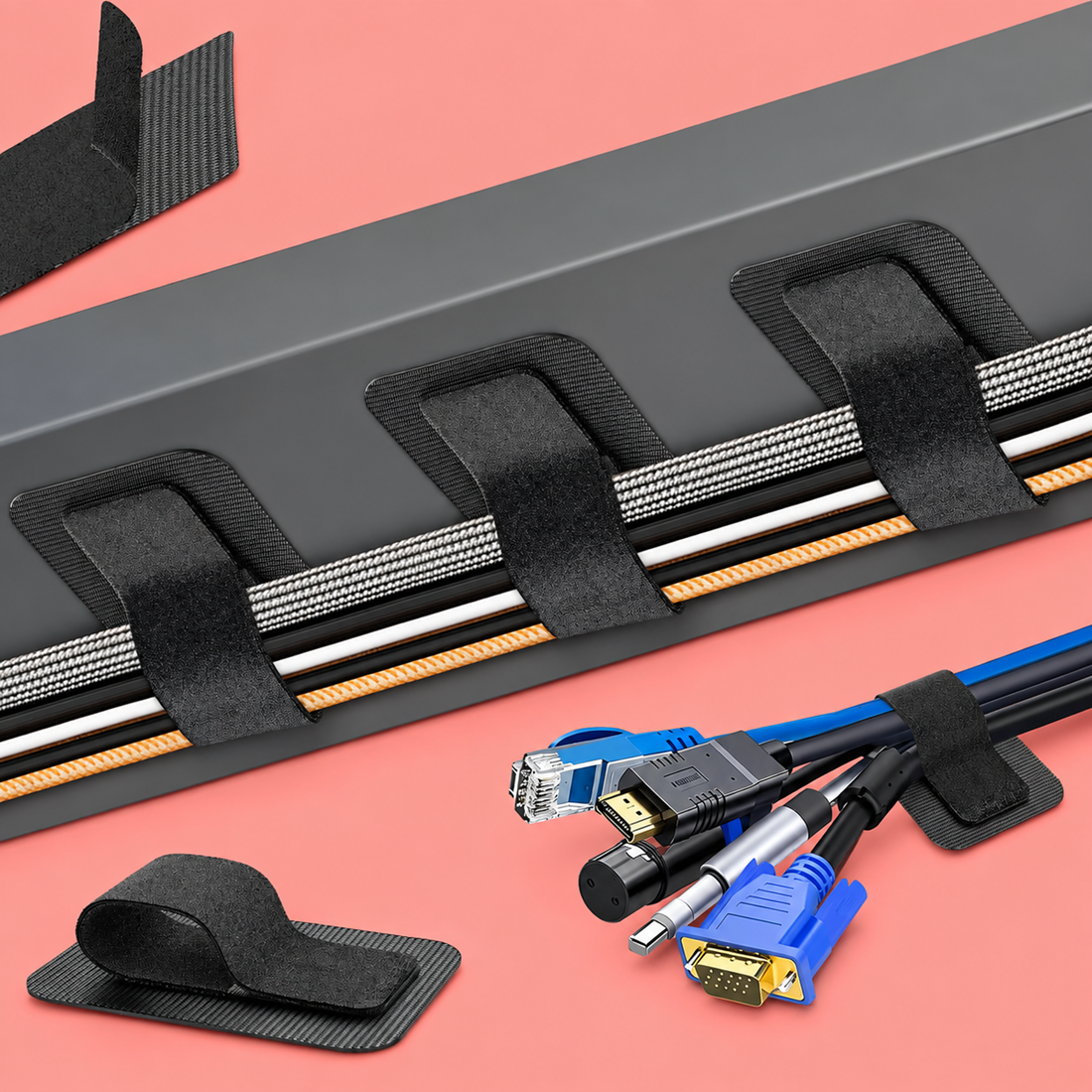
- Reorganize your cables as often as you like. The hook-and-loop closure opens and closes by hand, so you can add a new cable, remove an old charger, or rebuild your entire setup without cutting anything or buying replacements.
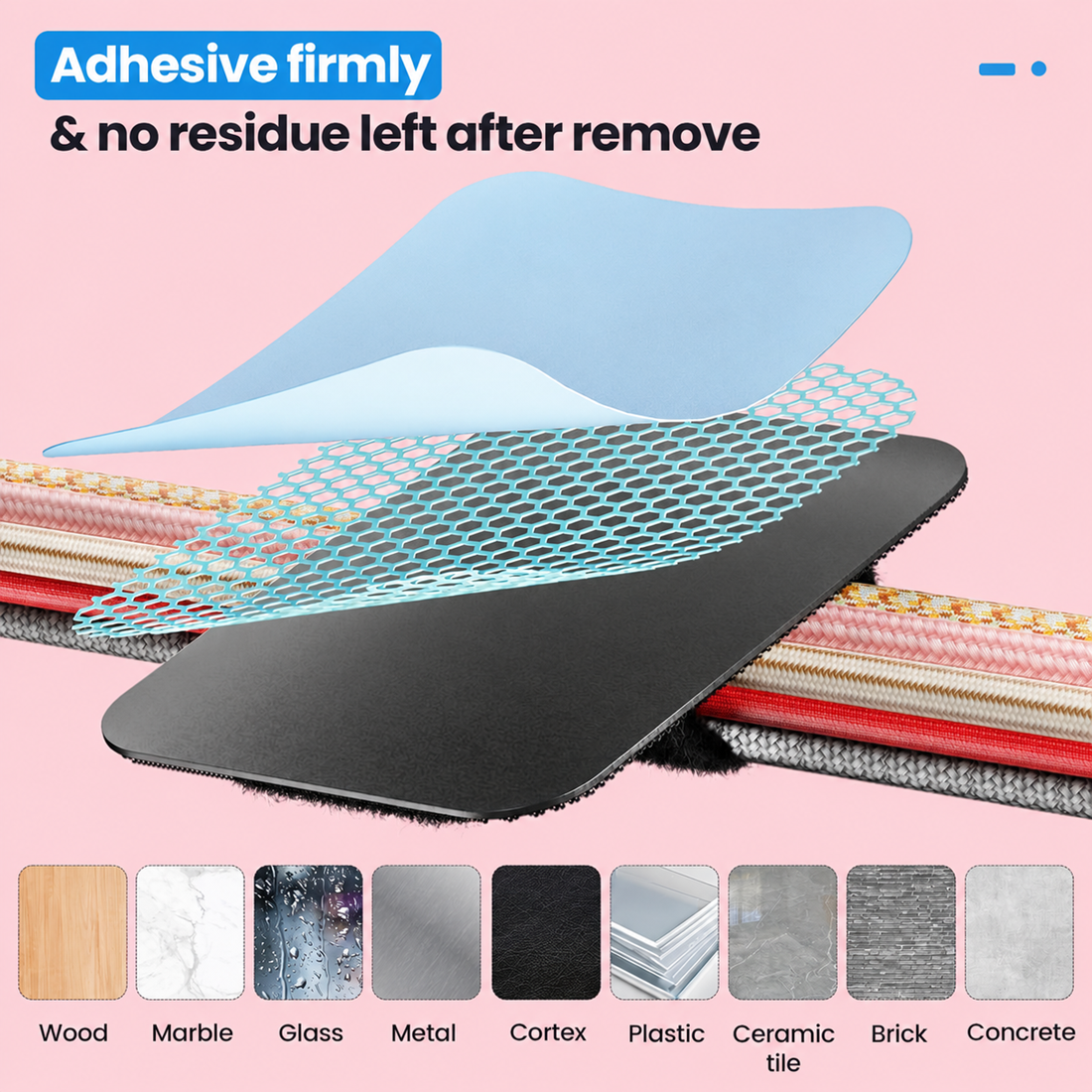
- Mount cables without damaging your desk or wall. The self-adhesive backing holds firmly to wood, glass, and tile, then peels away clean when you move it, so renters and shared workspaces stay damage-free.
- Fit tight, awkward spaces other organizers cannot reach. The segmented strap bends around corners, desk legs, and monitor arms, and you can trim or adjust individual sections without removing the whole unit.
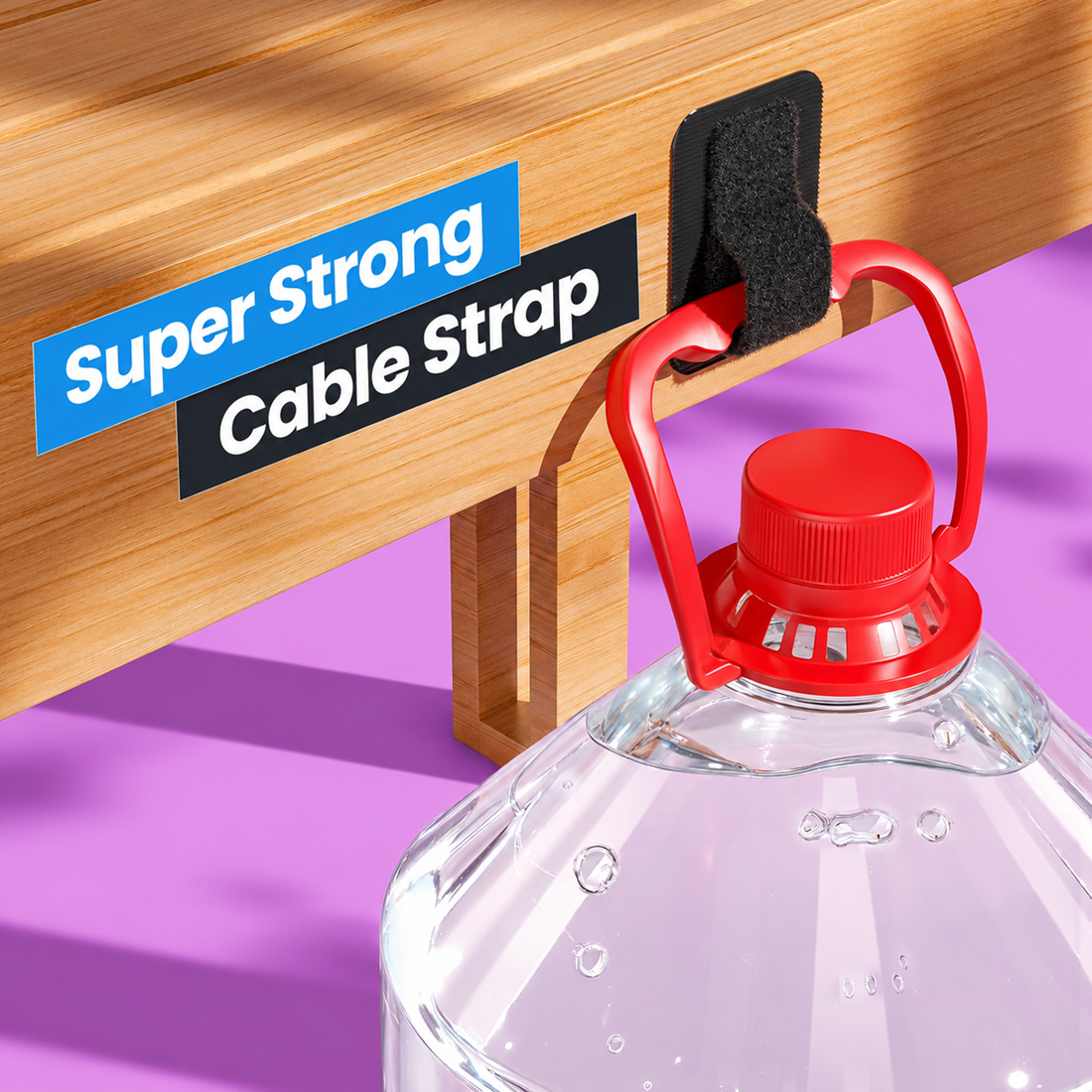
- Keep up to 15 cables under control with one strap. The reinforced hook-and-loop fastener grips securely, so power cords, HDMI cables, and charging leads stay bundled together instead of sliding loose.
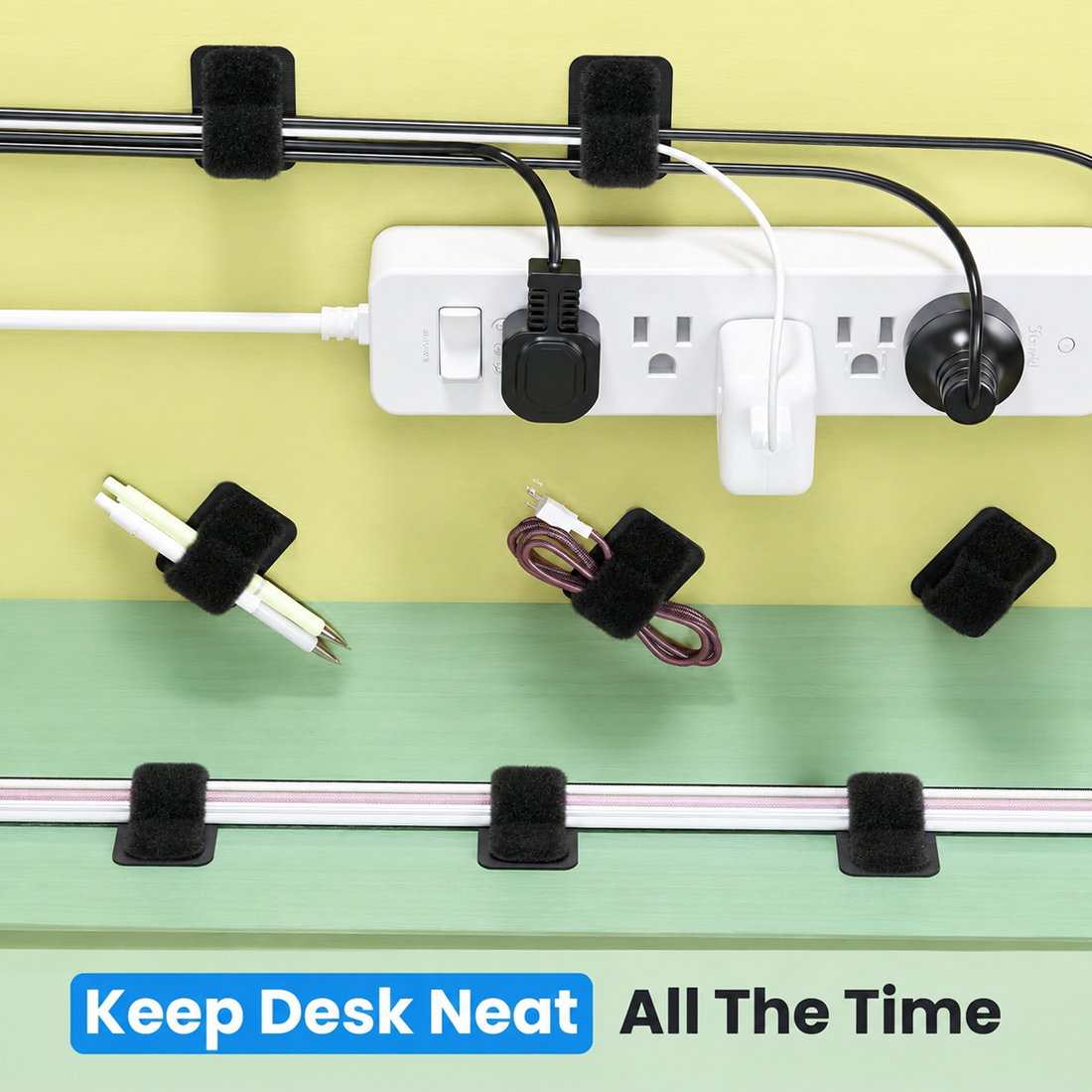
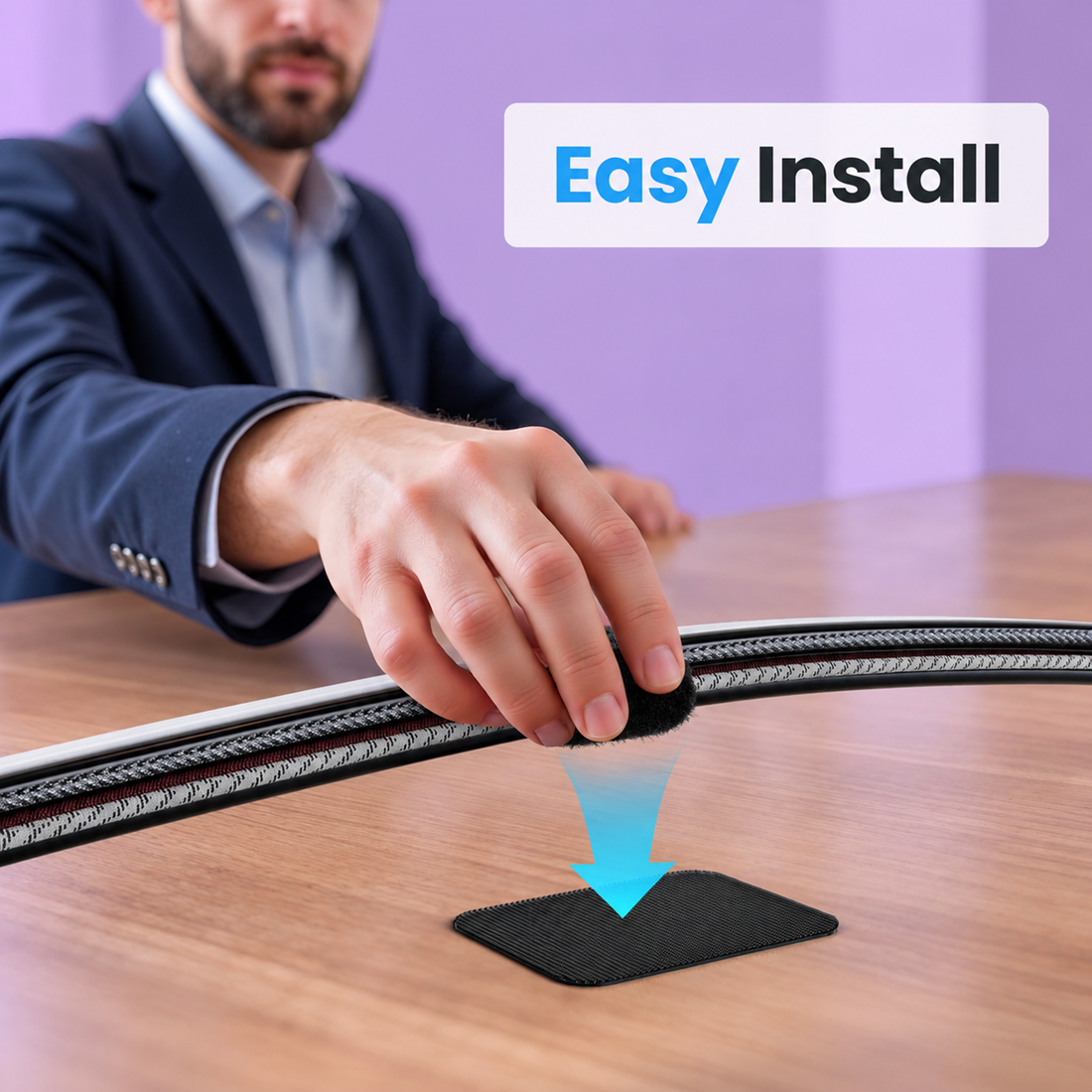
- Set it up in minutes with zero tools. Peel, stick, and wrap, there is no drilling, no screws, and no learning curve, so your desk goes from cluttered to organized during a single coffee break.
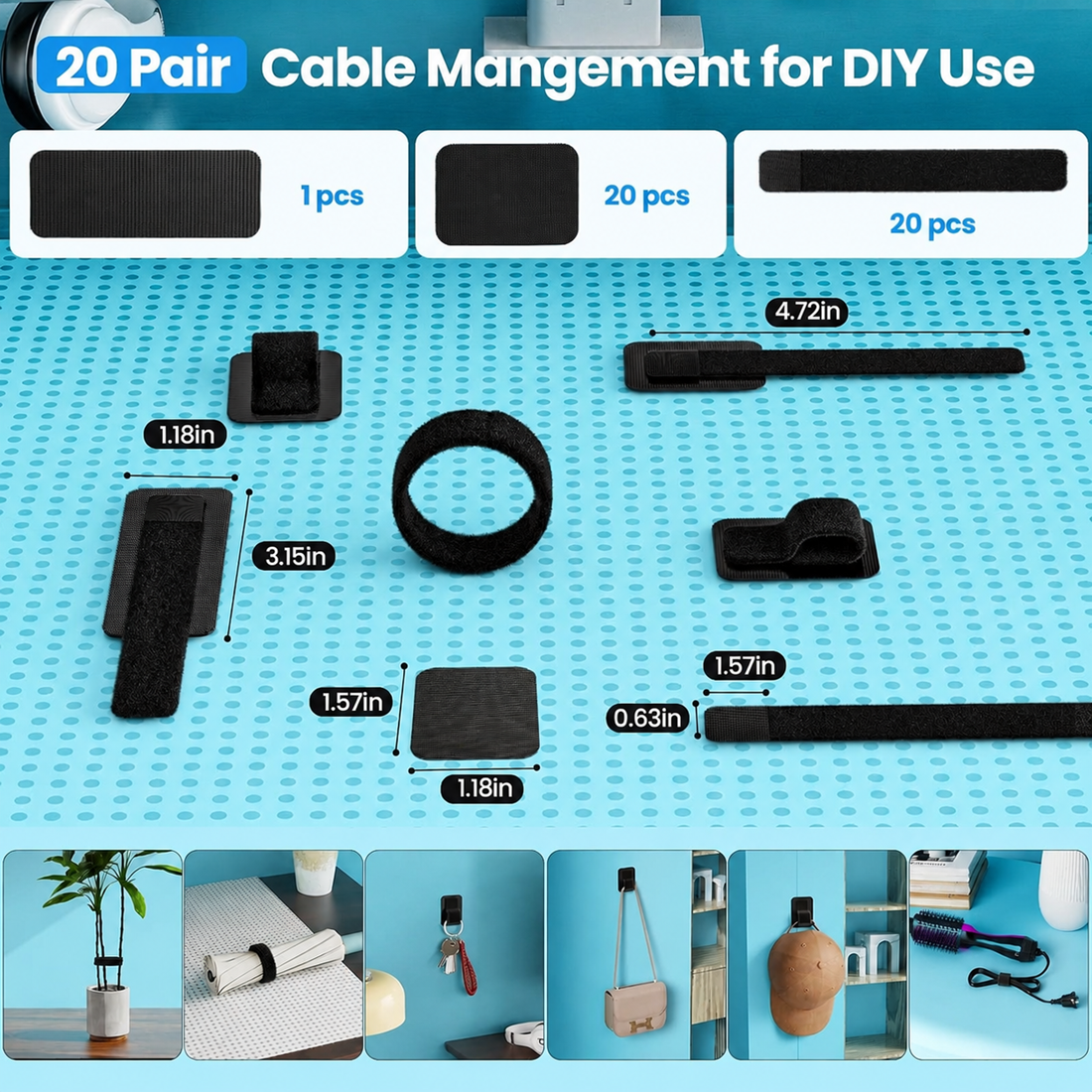
- Choose the pack size that matches your setup. The 20-piece pack suits a single desk or entertainment center, while the 40-piece pack covers a full home office, gaming station, or multiple rooms.
- Match your décor instead of settling for one option. Black blends into dark desks and AV equipment, while white disappears against light furniture and modern, minimalist interiors.
Product Features
Materials
Each cable tie combines a durable plastic base with a soft, textured hook-and-loop strap, so the material is sturdy enough to hold multiple cables yet gentle enough not to crimp or damage cable insulation over time.
Design
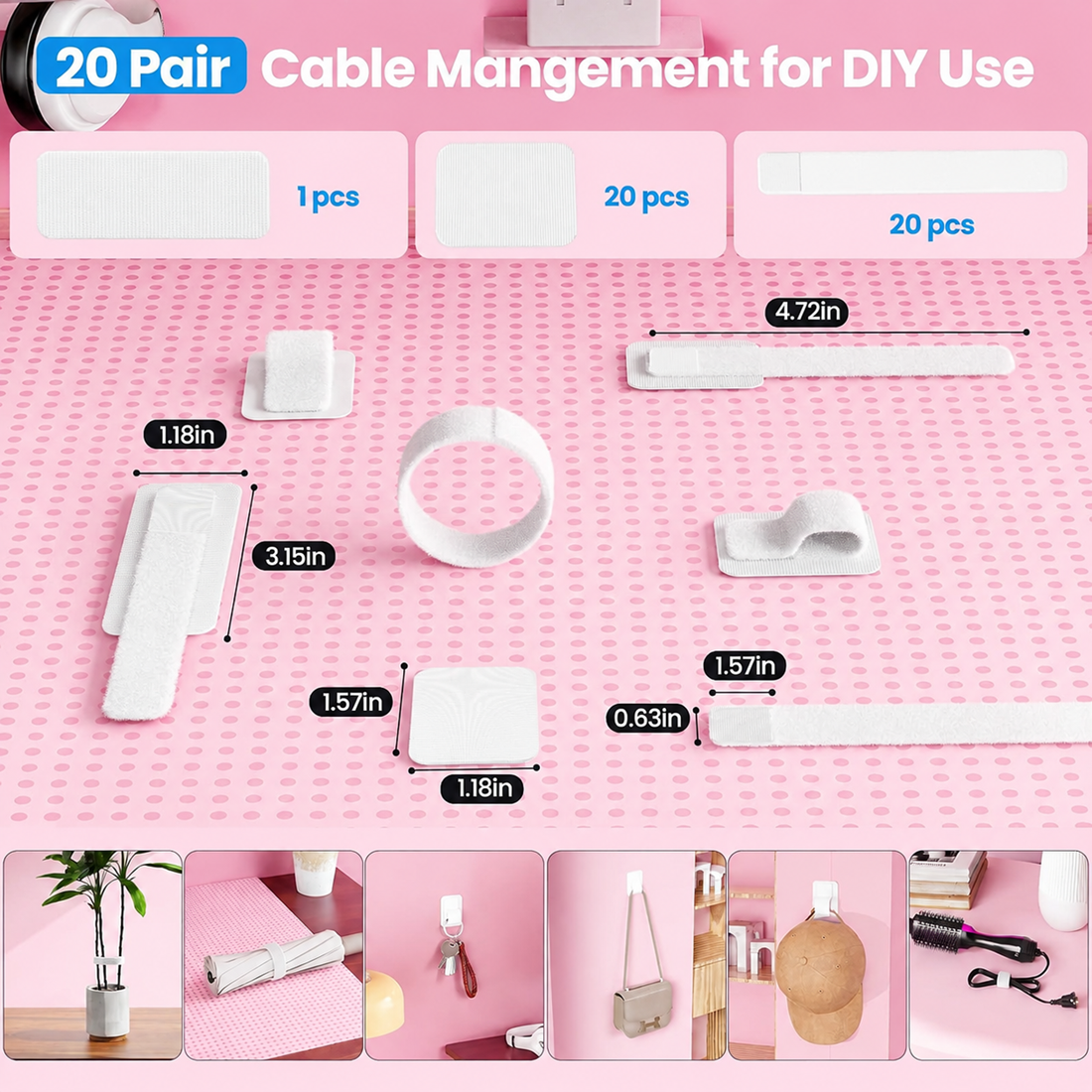
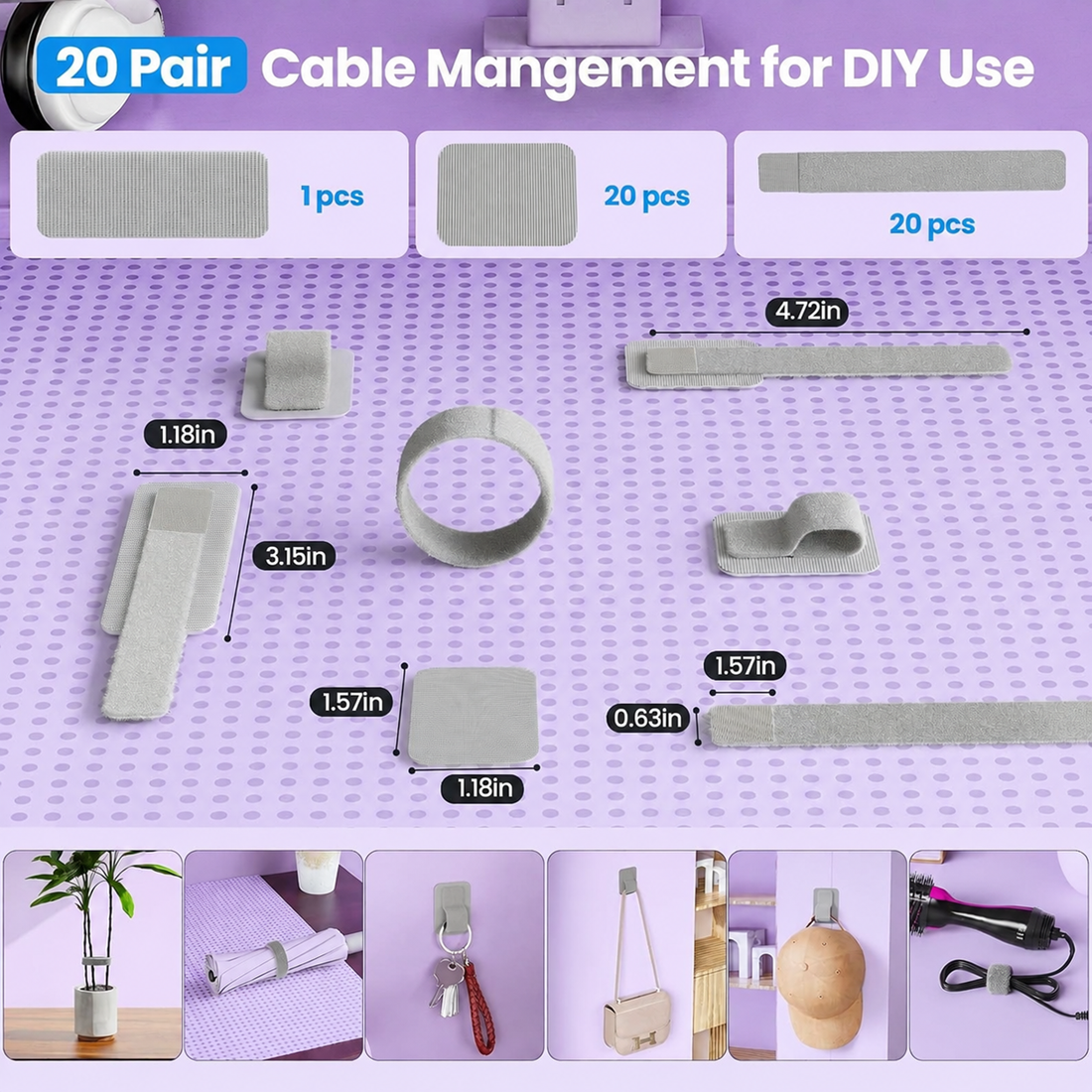
The low-profile, segmented strap measures 120 mm x 40 mm and wraps flat against any surface, keeping cables tucked close instead of bulging outward. The self-locking closure holds its position under load but releases instantly when you need to make a change.
Functionality
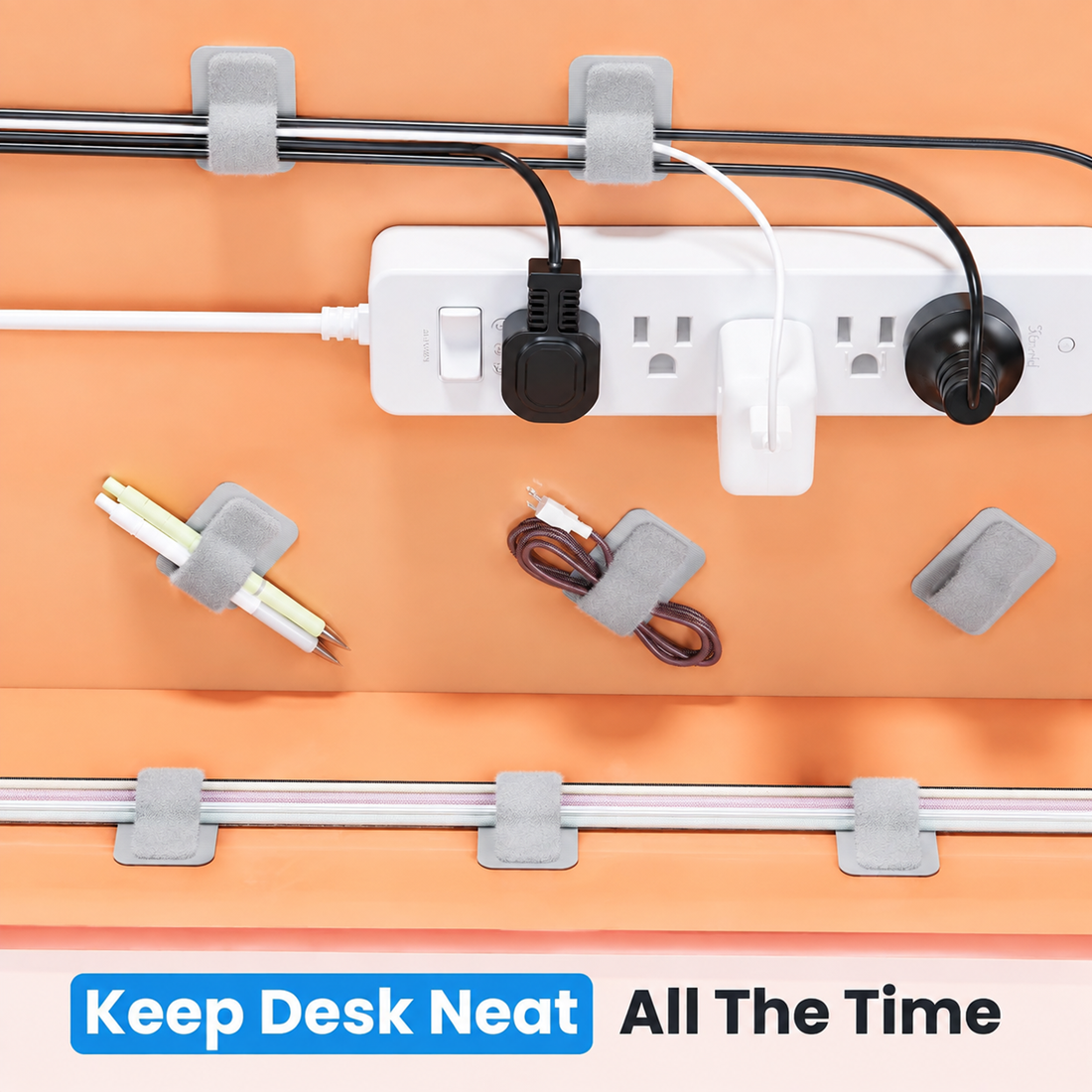
Use each strap on its own, stuck directly to a surface, or pair it with adhesive mounting hooks to route cables along the underside of a desk, behind a monitor, or along a wall. Either way, the strap keeps cables organized, off the floor, and out of sight.
Durability
The reinforced hook-and-loop fastener resists loosening and slipping, even under the weight of several bundled cables, so your setup stays tidy for the long term instead of sagging after a few weeks.
Ease of Use
Installation takes seconds: peel the adhesive backing, press the strap onto a clean surface, and wrap it around your cables. No cutting tools, zip-tie guns, or replacement parts are ever required.
Compatibility
These cable ties work with power cords, HDMI and USB cables, Ethernet cables, charging cables, and most cords under a standard desk or TV setup, making them a practical fit for home offices, gaming desks, entertainment centers, and workstations.
Why Choose This Product?
Most people default to disposable zip ties or tape when their cables get out of hand, and both come with the same frustration: once you cut a zip tie or peel off tape, you start over from scratch the next time you add or remove a cable. That means wasted plastic, sticky residue, and repeated trips back to the store.
A reusable, adjustable design solves that problem at the source. Because the hook-and-loop closure opens and re-closes by hand, you can adapt your cable setup as your equipment changes, whether that means adding a new monitor, swapping a charger, or moving your desk to a new spot. The self-adhesive mounting means you are not drilling holes or leaving marks behind, which matters as much in a rented apartment as it does in a shared office.
The segmented, low-profile design also solves a problem rigid organizers cannot: it bends around corners, desk legs, and cable bundles of different thicknesses instead of forcing your cables into one fixed shape. The result is a cable management solution that adapts to your desk, not the other way around.
Size & Color Options
Choosing the right pack takes just a moment. Use the guide below to match your pack size and color to your setup.
Size Options
| Option |
Best For |
| 20-Piece Pack |
A single desk, TV console, or nightstand. Ideal if you are organizing one workstation or testing the product for the first time. |
| 40-Piece Pack |
A full home office, gaming setup, multi-monitor desk, or more than one room. Best value if you manage several cable-heavy areas. |
Color Options
| Option |
Best For |
| Black |
Blends in with dark desks, monitors, PC towers, and most AV and gaming equipment, so the straps stay visually out of the way. |
| White |
Disappears against light desks, white furniture, and modern or minimalist rooms, keeping the setup looking clean rather than mismatched. |
Not sure which to pick? Count the cables you need to organize, add a few for future devices, and round up to the nearest pack size, then choose the color that matches your desk or equipment rather than your wall color, since the straps sit closest to your cables and hardware.
How To Use
- Clean the surface. Wipe down the area where you plan to stick the strap, such as the underside of a desk or the back of a monitor stand, and let it dry completely.
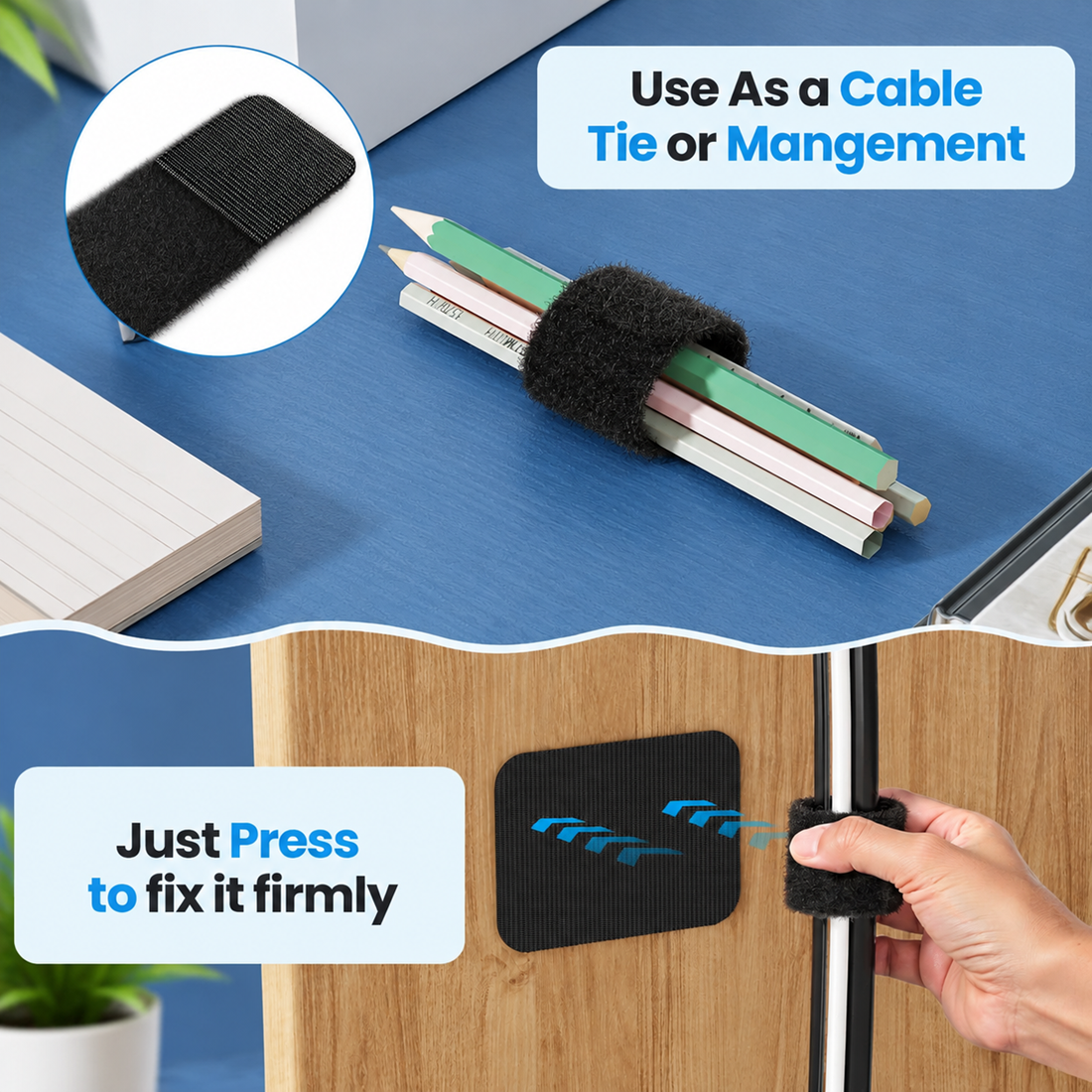
- Peel and place. Remove the adhesive backing and press the strap firmly onto the surface for a few seconds to activate the bond.
- Let the adhesive cure. If you are using the included mounting hooks, wait about two hours before loading cables so the adhesive reaches full strength.
- Wrap your cables. Gather the cables you want to bundle and wrap the hook-and-loop strap around them, pressing the fastener closed until it locks in place.
- Adjust as needed. Open and re-close individual segments any time you add, remove, or reroute a cable, without disturbing the rest of the strap.
- Reposition if necessary. To move a strap, peel it away slowly; the residue-free adhesive comes off clean, so you can reposition it on a new spot without leaving marks.
Ideal For
- Home office desks and remote work setups
- Gaming stations and multi-monitor PC builds
- TV consoles, media centers, and streaming equipment
- Nightstands and bedside charging stations
- Kitchen counters with small appliance cords
- Dorm rooms and rented apartments where damage-free mounting matters
- Small businesses organizing shared desks or reception areas
- Anyone replacing disposable zip ties with a reusable alternative
Specifications
| Product Type |
Reusable hook-and-loop cable ties (cord organizer straps) |
| Material |
Durable plastic base with textured hook-and-loop strap |
| Color Options |
Black, White |
| Size Options |
20-Piece Pack, 40-Piece Pack |
| Strap Dimensions |
120 mm x 40 mm per strap |
| Cable Capacity |
Up to 15 cables per strap |
| Package Contents |
Reusable hook-and-loop cable straps with self-adhesive backing |
| Main Features |
Adjustable, reusable, self-adhesive, residue-free, segmented low-profile design |
| Recommended Use |
Under-desk cable management, home office, gaming setup, TV and media consoles |
Frequently Asked Questions