
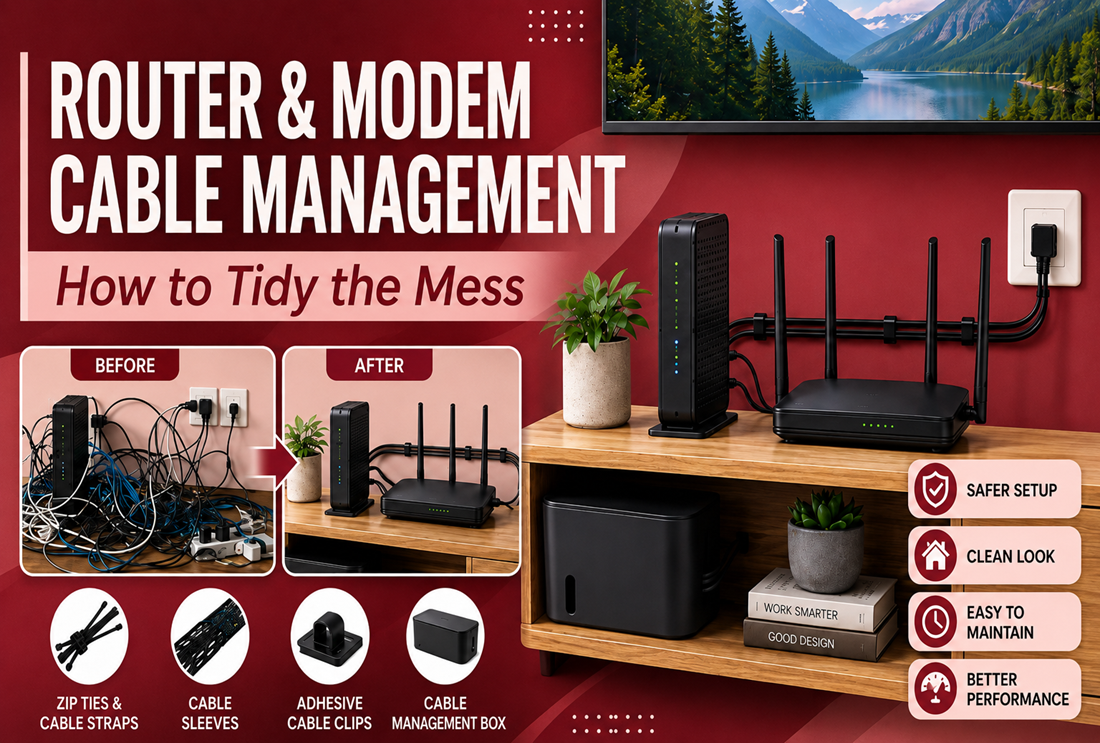
The router corner is one of the messiest spots in any home: a modem, a router, a power strip, and a tangle of Ethernet and power cables, often on full display in the living room. A few cheap tools turn it into something you’d happily leave visible. Here’s how to tidy the router and modem area.
Start by sorting the cables
Unplug, label both ends of each cable, and group them: power, Ethernet, coax/fiber. Labeling now saves you tracing cables later when you swap a device or reboot the network.
The router-corner toolkit
| Tool | What it does |
|---|---|
| Cable management box | Hides the power strip and adapters |
| Adhesive cable clips | Route Ethernet and power cleanly along edges |
| Spiral wrap / sleeve | Bundles the cables into one neat line |
| Hook-and-loop straps | Coil and tidy excess cable, reusably |
Step-by-step
- Hide the power strip and adapters in a cable management box — the biggest instant improvement.
- Coil excess Ethernet loosely and secure it with reusable hook-and-loop straps (don’t kink network cable).
- Route runs along the wall or furniture edge with adhesive cable clips.
- Bundle the remaining cables with a spiral cable wrap.
- Keep the router itself ventilated — don’t seal it inside a closed box.
Important: keep the router cool and in signal
Don’t shut the router inside an enclosed box — it needs airflow, and metal boxes can weaken Wi-Fi. Hide the power strip and cables, but leave the router itself out in the open and upright for the best signal.
Don’t over-tighten network cables
Ethernet and fiber are sensitive — a hard-cinched zip tie can crush them and hurt performance. Use gentle hook-and-loop straps or leave ties loose. See hook-and-loop straps vs zip ties.
Frequently asked questions
How do I hide router and modem cables?
Put the power strip in a cable box, route the cables along edges with adhesive clips, and bundle the rest with a sleeve — but leave the router itself out in the open for airflow and signal.
Can I put my router in a cable box?
Hide the power strip and cables, not the router. Routers need ventilation, and enclosing them (especially in metal) can reduce Wi-Fi range.
Can I zip-tie Ethernet cables?
Loosely, yes — but don’t over-tighten, which can damage the cable. Hook-and-loop straps are gentler and reusable.
Shop router-corner gear
Grab a cable box, clips, and hook-and-loop straps, and see the full home & office cable organization guide.