
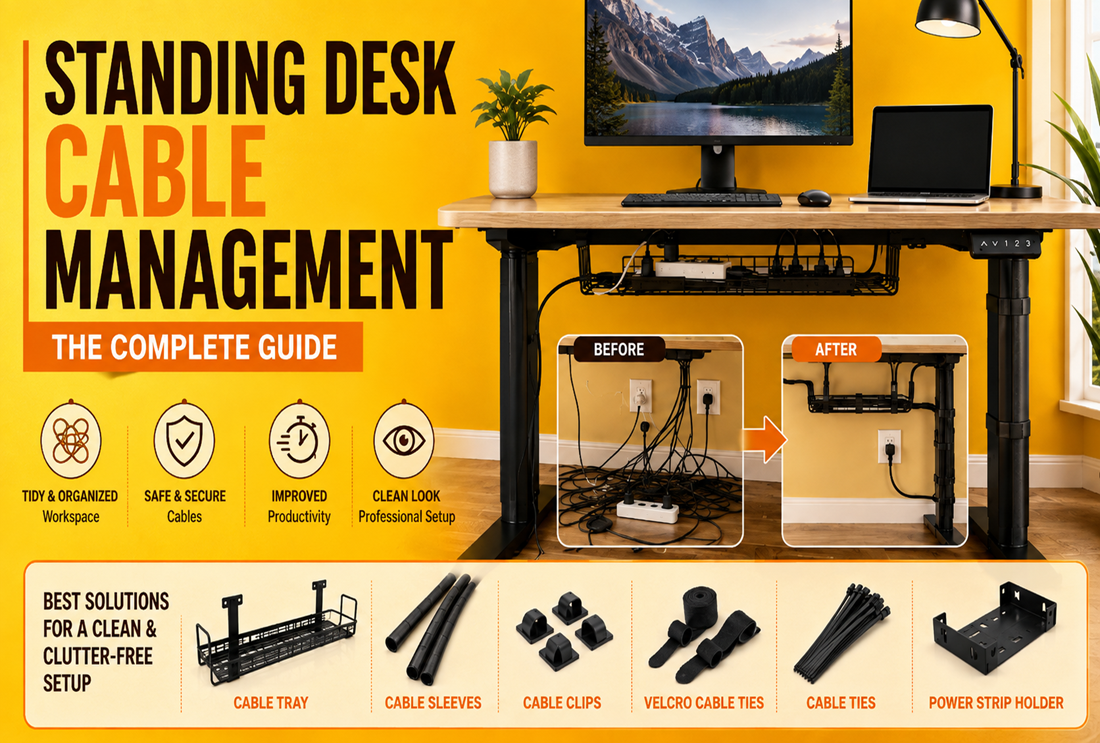
A standing desk adds one tricky problem ordinary desks don’t have: everything moves. Cables that look tidy at sitting height can pull tight, snag, or unplug as the desk rises. The fix is to build in slack and let a flexible bundle travel with the desk. Here’s how.
The golden rule: plan for movement
Route your cables so the bundle can extend and retract smoothly through the desk’s full height range. Leave generous slack, keep the bundle flexible, and anchor it at the top (to the desk) and bottom (near the floor) so it flexes in the middle instead of pulling at a plug.
The standing-desk toolkit
| Tool | Role on a moving desk |
|---|---|
| Spiral cable wrap | Bundles cables flexibly so they bend, not kink |
| Under-desk cable tray | Holds the power strip and slack, travels with the desk |
| Hook-and-loop straps | Reusable bundling for cables you’ll re-route |
| Adhesive clips | Guide the cable path on the desk underside |
Step-by-step
- Mount an under-desk cable tray to the desktop so the power strip rises and lowers with the desk.
- Bundle the feed cables into a spiral cable wrap so they flex without tangling.
- Leave a slack loop long enough for the desk’s highest position.
- Use reusable hook-and-loop straps so you can adjust as you add gear.
- Guide the run with adhesive clips, leaving the middle free to flex.
The rest of the workflow is the same as any desk — see our under-desk cable management guide and desk cable management kit. Gaming at a standing desk? Add the tips in our gaming cable management guide.
Common mistakes
- Too little slack — the number-one cause of unplugged cables on sit-stand desks.
- Rigid bundling — a stiff, over-tight bundle kinks; keep it flexible.
- Power strip on the floor — it should ride on the tray with the desk, not tug from below.
Frequently asked questions
How do I keep cables tidy on a standing desk?
Put the power strip on an under-desk tray so it moves with the desk, bundle the feed cables in a flexible spiral wrap, and leave a slack loop for the full height range.
Should I use zip ties or hook-and-loop on a standing desk?
Hook-and-loop straps — they let you adjust slack and add cables without cutting, which matters on a desk you’ll reconfigure.
Why do my cables unplug when the desk rises?
Not enough slack. Add a longer loop and anchor the bundle top and bottom so it flexes in the middle.
Shop standing-desk gear
Grab an under-desk tray, a spiral cable wrap, and hook-and-loop straps, or browse all cable management products.