
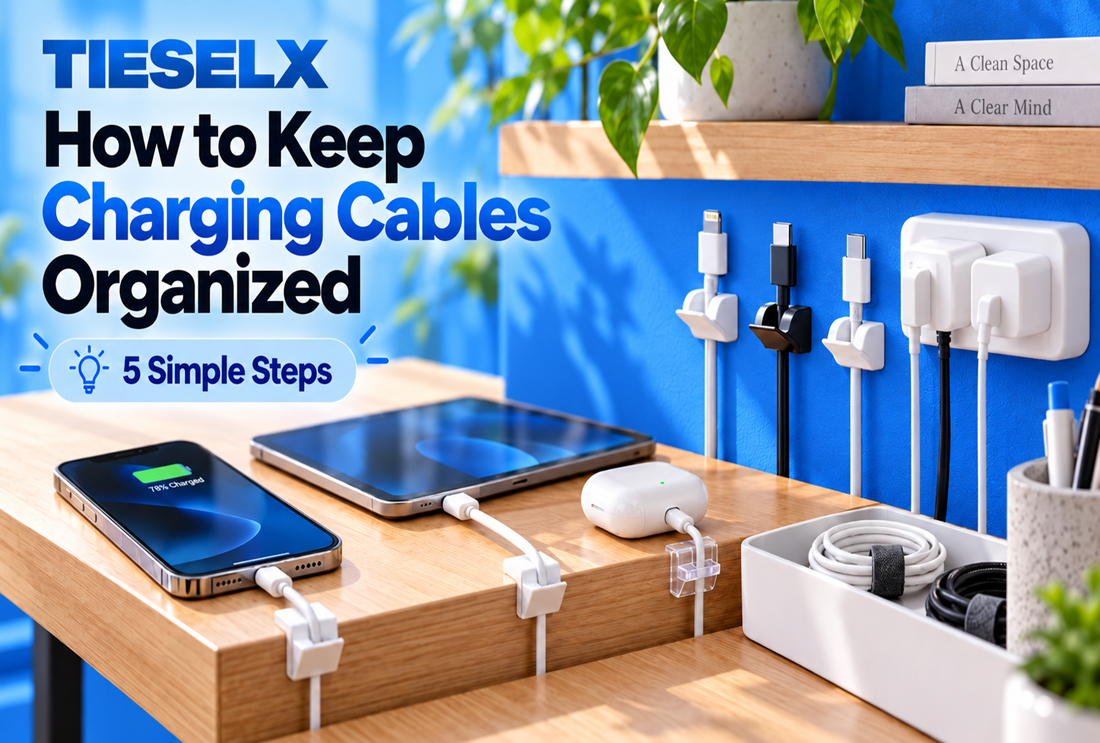
If you want to know how to keep charging cables organized, start with one simple fact: charging cables move. The cords behind your TV or under your desk get routed once and stay put. Your phone charger, on the other hand, gets unplugged every morning, carried from room to room and borrowed by whoever’s battery is lowest.
Most people know the routine. The cable you need has slipped behind the nightstand, the one in the kitchen belongs to someone else, and a drawer holds a knot of cords for devices you no longer own. Tidying a single spot rarely fixes it, because the cables don’t stay in one spot.
What works is a simple system that gives every charging cable a home, a label and a job. Here’s how to set it up in five steps.
Quick answer: To keep charging cables organized, set up one shared charging station, hold each cable end in an adhesive clip, label cables by owner or connector type, coil spares loosely with reusable straps, keep a separate kit for your bag and car, and clear out damaged or unused cables twice a year.
What You’ll Need
| Item | What it does |
|---|---|
| Multi-port USB charger | Powers several devices from one outlet |
| Adhesive cable clips | Hold cable ends in place so they don’t fall behind furniture |
| Hook-and-loop straps or reusable zip ties | Keep coiled cables closed |
| Colored cable ties or labels | Show whose cable is whose |
| Cable management box | Hides the power strip and adapters |
| Small pouches or a drawer organizer | Store spare cables by type |
Step 1: Create One Charging Station for the Whole Household
A shared charging station is the biggest single fix, because cables stop wandering when everyone charges in the same place. Choose a spot near an outlet that the whole household passes every day, such as a kitchen counter, a hallway table or a shelf near the front door.
- Swap separate plugs for one multi-port charger. A charger with four to six USB ports usually covers a family’s phones, earbuds and tablets.
- Give every cable its own clip. Stick a row of adhesive cable clips along the edge of the shelf or counter, one clip per cable. When someone unplugs a phone, the cable end stays in its clip instead of sliding to the floor.
- Hide the power strip. A cable management box keeps the strip and adapters out of sight, so only the cable ends show.
- Tie up the slack. Gather any extra cable length behind the station with a single hook-and-loop cable tie.
In practice: an empty clip is the best reminder there is. When a cable goes missing, the gap in the row shows it right away, and the cable usually turns up in a bag or a bedroom within a day.
Step 2: Label Your Cables So You Always Grab the Right One
Most charging cables look identical, but they aren’t interchangeable. A USB-C cable made for a laptop can carry much more power than the one that came with a pair of earbuds, and an older Lightning cable won’t fit a newer USB-C phone at all.
Label both ends of each cable using one of these methods:
- By connector: USB-C, Lightning or Micro-USB
- By person: one color for each family member
- By location: “car,” “travel” or “office”
Multi-color zip ties are the quickest way to do this. Loop a small tie near each plug and give each person in the house a color. Washi tape or small printed labels work too.
In practice: color-coding ends the “whose cable is this?” debate. When a blue-tagged cable turns up in the living room, everyone knows where it belongs.
Step 3: Coil and Store Spare Cables Without Tangles
Spare cables tangle when they’re wrapped tightly around a hand or tossed loose into a drawer. Tight wrapping also bends the wires at the plug, which is where charging cables most often fray and fail.
Store your spares like this:
- Coil loosely with the over-under method. Make one loop normally, then twist your wrist so the next loop turns the opposite way. Keep alternating. The twists cancel each other out, so the cable lies flat and unrolls without kinks.
- Close each coil with a reusable tie. A reusable hook-and-loop strap, a silicone cable tie or a reusable zip tie holds the coil together and opens again in seconds.
- Sort by type. Use a drawer organizer, small zip bags or a shoebox with dividers, and label each section USB-C, Lightning, Micro-USB and so on.
- Keep chargers with their cables. Strap each wall adapter to its matching cable so the pair always stays together.
In practice: a sorted drawer saves far more time than it takes to set up. Instead of untangling a knot to find one USB-C cable, you open the right section and take one.
Step 4: Keep Charging Cables Organized in Your Bag and Car
The cables you carry tangle the fastest, because they share space with keys, earbuds and everything else in a bag. Set up a dedicated kit once, and you’ll never have to untangle or borrow a cable on the go.
In Your Bag or for Travel
- Pack one short cable, about 1 foot (30 cm) long, and one compact wall charger in a small zip pouch.
- Coil each cable with the over-under method and close it with a strap.
- Keep the pouch in the same pocket every time, so you can find it without searching.
In the Car
- Leave a dedicated cable in the car instead of borrowing the one from home.
- Stick an adhesive cable clip to the dashboard or center console to hold the plug end within reach. It also stops the cable from slipping under the seat.
- Use a short or coiled cable, so no loose slack hangs near the gear shift.
In practice: the car cable is the one that goes missing most often, because it’s so easy to grab on the way out. Giving it a clip of its own makes it much more likely to still be there next time.
Step 5: Declutter and Protect the Cables You Keep
Most homes have more charging cables than devices. Once or twice a year, empty the cable drawer and sort through everything.
Throw a Cable Out If:
- It fits a device you no longer own
- The outer jacket is split or bare wire is visible
- The plug wobbles or only charges at a certain angle
- It gets unusually hot while charging
Take old cables to an e-waste recycling point rather than putting them in the household trash.
Make the Cables You Keep Last Longer
- Pull the plug, not the cord, when you unplug a device.
- Avoid sharp bends near the plug. A clip that holds the cable close to its end takes the strain off.
- Keep cables off the floor, where they get stepped on, caught under chair wheels or chewed by pets. If you have a pet that chews, a cord protector for pets adds a tough outer layer.
4 Common Mistakes to Avoid
- Organizing only one room. Charging cables travel, so a tidy nightstand doesn’t help if the kitchen and car are still a mess.
- Using single-use zip ties on cables you unplug every day. Standard zip ties have to be cut off each time. Reusable zip ties or hook-and-loop straps are a better fit for cables that move.
- Wrapping cables tightly around the charger. It looks neat, but it bends the cable at its weakest point and shortens its life.
- Keeping every cable “just in case.” Broken and outdated cables crowd out the ones you actually use and make the right one harder to find.
Frequently Asked Questions
How do I stop charging cables from falling behind my bed or desk?
Stick a spring cable clip to the edge of the surface and rest the plug end in it. The cable stays within reach after you unplug your device. For bedside setups, see our guide to nightstand cable management.
How many charging cables does one person need?
Usually three: one at home, one in the car and one in a travel pouch. Carrying a single cable between places is how cables get lost.
Is it bad to wrap a charging cable tightly?
Yes. Tight wraps bend the wires near the plug, which is where cables usually fail. Coil them loosely with the over-under method and close the coil with a strap.
Should I use zip ties or hook-and-loop straps for charging cables?
Charging cables move a lot, so choose something you can reopen, such as hook-and-loop straps or reusable zip ties. Read hook-and-loop straps vs. zip ties for a full comparison.
What’s the best way to store charging cables in a drawer?
Coil each cable loosely, close it with a reusable strap and sort the coils by connector type in a divided organizer or labeled pouches.
Get Your Charging Cables Under Control
Keeping charging cables organized comes down to five habits: one shared charging station, labels on every cable, spares coiled and stored by type, a ready kit for your bag and car, and a clear-out once or twice a year.
Start with the easiest step. Add a row of TIESELX adhesive cable clips wherever your household charges, and every cable gets a place to go back to. For more ideas, read how to organize cables at home and office or browse the best cable clips for desk and nightstand.
Ready to shop? Browse our full Cable Management collection, including cable clips, cable boxes and hook-and-loop cable straps. If your charging cables share space with a desk setup, our under desk cable management guide is a good next read.